

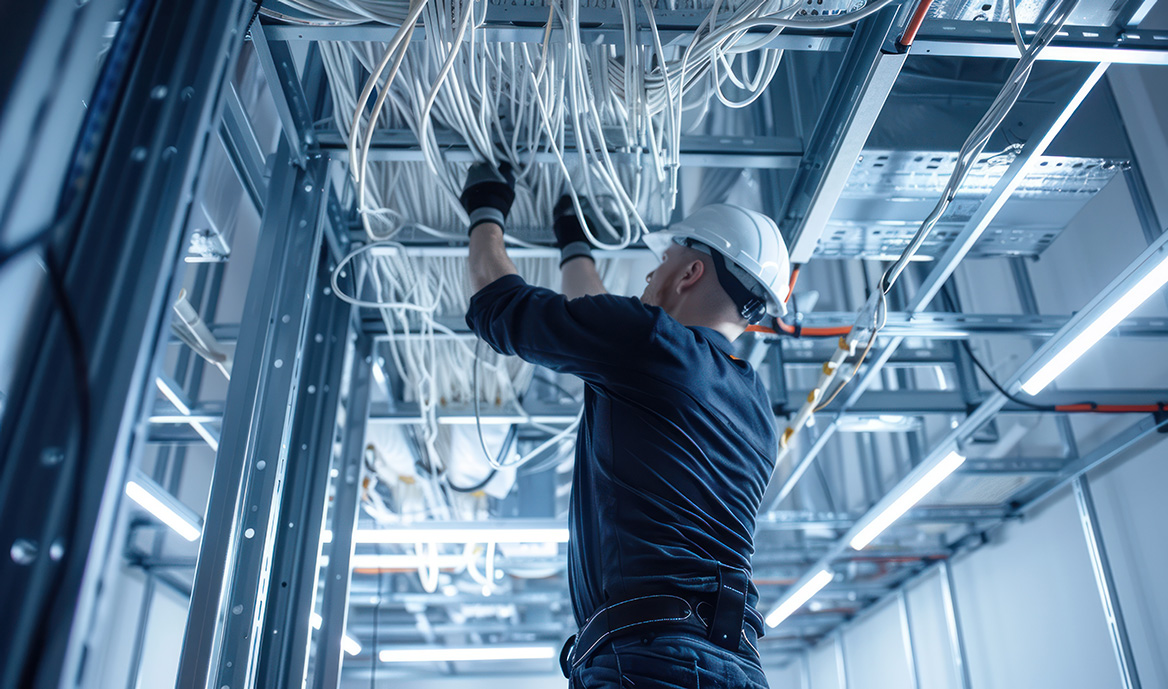
Pull Smart, Pull Right
Proper cable pulling protects the physical and electrical integrity of the entire structured cabling system, ensuring every run performs to its rated bandwidth and PoE load. Excessive pulling tension, improper bend radius, and unsupported pathways can deform conductors, introduce signal loss, and create long‑term reliability issues that aren’t always visible during installation. Effective technique requires planning around pathway geometry, friction points, conduit fill, and NEC‑compliant support spacing, while using the right tools to control force and direction. When installers combine disciplined handling with proper cable management hardware, they reduce rework, prevent hidden damage, and deliver a network infrastructure that stays stable, certifiable, and future‑ready.
What follows builds on that foundation by focusing on the techniques and decisions that keep every cable pull controlled, compliant, and reliable.
1. Define the Cabling System Architecture
A structured cabling system is built on a defined architecture that separates backbone pathways, horizontal runs, and work‑area connections. Understanding this structure is essential because every cable must follow a specific route and terminate in a specific location. When installers understand the architecture, they avoid misrouting, reduce rework, and ensure the installation aligns with industry standards and inspection requirements.
The architecture also determines which codes apply to each part of the building. Backbone pathways often pass through fire‑rated spaces, horizontal cabling typically runs above ceilings, and work‑area cabling must be accessible and serviceable. Each zone has different rules for support, fire safety, and routing.
Best Practices
- Identify backbone, horizontal, and work‑area segments
- Confirm termination points and service zones
- Review floor plans, ceiling layouts, and mechanical drawings
- Verify plenum spaces and conduit access
- Cross‑check routing against TIA/EIA‑568 and NEC
Common Issues
- Cables pulled to incorrect rooms or racks
- Cables resting on ceiling tiles
- Unsupported spans across building zones
2. Select Cable Types Appropriate to the Application
Modern buildings rely on cabling for far more than data. Networked devices now include lighting, sensors, cameras, access control, AV systems, automation, and IoT. Selecting the right cable type ensures performance, safety, and long‑term scalability.
Copper categories (Cat5e, Cat6, Cat6A) support a wide range of applications, including PoE power delivery. Fiber supports long distances and high‑speed backbone connections. Coax remains essential for RF systems and distributed antenna systems. Environmental factors such as plenum spaces or EMI exposure also influence cable selection.
Best Practices
- Use Cat5e/Cat6/Cat6A for data, PoE, cameras, access control, AV, sensors, and automation
- Use fiber optic cable for long distances, backbone links, and EMI‑heavy environments
- Use coaxial cable for RF, broadband, surveillance, and DAS
- Use plenum‑rated cable in air‑handling or return‑air spaces
- Use shielded twisted pair in high‑EMI areas
Common Issues
- EMI‑related signal loss
- Fire‑code violations
- Re‑pulls due to bandwidth or application mismatch
3. Apply Standards and Codes During Installation
Industry standards exist to ensure performance, safety, and long‑term reliability. They define how cables must be routed, supported, and terminated. Compliance protects the installation from inspection failures and ensures the system performs as designed.
Standards also ensure consistency across projects. When installers follow TIA, NEC, and BICSI guidelines, the system becomes easier to maintain, expand, and troubleshoot.
Best Practices
- Follow TIA/EIA‑568 for cabling performance and installation
- Follow ISO/IEC 11801 and ANSI/TIA‑942 for building and data center infrastructure
- Follow NEC for routing, fire safety, and support spacing
- Follow BICSI guidelines for bend radius and pulling force
- Document compliance checkpoints
Common Issues
- Failed inspections
- Signal loss from improper handling
- Liability from non‑compliant installations
4. Plan the Cable Pathway for a Smooth Pull
A successful cable pull begins long before the cable enters the pathway. Planning ensures the route is safe, compliant, and physically possible. Conduit geometry, junctions, bends, and fill ratios all influence how easily a cable can be pulled.
Environmental factors also matter. Plenum spaces require specific materials, and mechanical systems can create obstacles. Proper planning prevents stalled pulls, cable damage, and unsafe working conditions.
Best Practices
- Map conduit geometry, pull direction, and junction points
- Calculate conduit fill ratios per NEC
- Account for cable weight, tension, and friction
- Identify plenum zones and obstructions
- Verify firestop requirements
Common Issues
- Stalled pulls from overfilled conduits
- Jacket damage from tight bends
- Unsafe access conditions
5. Use Proper Tools and Equipment for Pulling
The tools used during a cable pull directly affect the quality of the installation. Proper tools reduce friction, prevent damage, and help installers maintain control throughout the pull.
Using the wrong tools—or improvising—often leads to abrasion, stretching, or stalled pulls. Proper equipment ensures the cable reaches its destination safely and efficiently.
Best Practices
- Use fish tape, pull strings, and conduit mice
- Use mechanical or vacuum‑assisted pullers for long runs
- Apply cable‑safe lubricant to reduce friction
- Equip teams with cutters, strippers, punch‑down tools, and testers
- Use labeling tools to identify cables immediately
Common Issues
- Jacket abrasion from dry pulls
- Stalled pulls due to inadequate tools
- Confusion from unlabeled cables
6. Protect Cables from Bending, Tension, and Mechanical Damage
Cables are sensitive to mechanical stress. Excessive pulling force or tight bends can cause internal damage that may not be visible but will affect performance. Protecting the cable during installation ensures long‑term reliability.
Bend radius limits prevent kinks and deformation. Pulling force limits prevent stretching and conductor separation. Both are essential for maintaining signal integrity.
Best Practices
- Follow bend radius specifications
- Avoid sharp turns or forced bends
- Use rollers or guides around corners
- Apply lubricant at entry points
- Monitor pulling tension
- Use pulling grips or mesh socks
- Avoid jerking or sudden acceleration
Common Issues
- Intermittent or degraded performance
- Jacket tearing or conductor stretching
- Failed inspections due to deformation
7. Use Proper Supports Instead of Ceiling Tiles
Ceiling tiles are not designed to support cable weight. Routing cables on tiles violates code, creates fire risks, and makes future access difficult. Structured supports ensure the cable is secure, accessible, and compliant.
Proper supports also maintain bend radius and spacing, which protects performance and simplifies future work.
Best Practices
- Use J Hooks, cable trays, or conduits
- Maintain support spacing per NEC (typically 4–5 feet)
- Use plenum‑rated supports in air‑handling spaces
- Avoid routing near HVAC, sprinkler, or lighting systems
Common Issues
- Code violations
- Fire risk from unsupported cable
- Sagging or inaccessible cable runs
8. Manage Bundling Without Damaging Performance
Bundling affects cable geometry, heat dissipation, and long‑term performance. Zip ties compress cables and can permanently deform them. Hook and loop straps provide secure, adjustable bundling without compression.
Proper bundling also improves airflow and makes future work easier.
Best Practices
- Use hook and loop straps for non‑compressive bundling
- Maintain spacing between bundles
- Avoid over‑tightening or stacking bundles
- Bundle by destination or service type
- Label bundles clearly
Common Issues
- Jacket deformation
- Heat buildup
- Troubleshooting confusion
9. Apply Labeling, Documentation, and Troubleshooting Discipline
Labeling and documentation are essential for long‑term maintenance. They ensure every cable can be identified quickly during troubleshooting or expansion.
Good documentation also supports audits, inspections, and future upgrades.
Best Practices
- Label both ends of every cable immediately
- Use adhesive labels, heat‑shrink tubing, or sleeves
- Include circuit ID, destination, and date
- Create pull diagrams
- Log cable IDs and destinations
- Store documentation centrally
- Update records during changes
Common Issues
- Misidentification
- Troubleshooting delays
- Duplicate or misrouted cables
10. Coordinate with Other Trades and Plan for Scalability
Cable installation often overlaps with electrical, HVAC, ceiling, and construction work. Coordination prevents conflicts, damage, and delays.
Clear communication ensures that pathways remain accessible and that other trades do not interfere with active pulls.
Best Practices
- Confirm schedules with site management
- Coordinate with electricians and ceiling crews
- Avoid active HVAC or sprinkler zones
- Use signage to protect active pulls
- Document site constraints
Common Issues
- Cable damage from other trades
- Blocked access
- Forced re‑routing
11. Glossary of Key Terms
AHJ
Authority Having Jurisdiction—The inspector or code official responsible for enforcing compliance with electrical, fire, and building standards.
ANSI/TIA‑568
Defines cabling types, distances, connectors, performance requirements, and installation practices for structured cabling systems.
ANSI/TIA‑569
Standard for pathways and spaces, including support requirements and cable routing expectations.
ANSI/TIA‑942
Data center infrastructure standard covering cabling, pathways, redundancy, grounding, and environmental controls.
Backbone Cabling
High‑capacity cabling connecting major network spaces using fiber, coax, or high‑performance copper.
Bend Radius
The minimum radius a cable can bend without damaging performance.
BICSI
Professional association that sets best practices for cabling installation.
Bundle
A group of cables routed together for organization and airflow.
Cat5e / Cat6 / Cat6A / Cat7
Categories of twisted‑pair copper cabling used for data, PoE, automation, AV, sensors, and IoT. Higher categories support greater bandwidth, improved shielding, and longer PoE runs.
Ceiling Tile Violation
A code violation where cable is laid directly on ceiling tiles, creating fire hazards, access issues, and inspection failures.
Circuit ID
A unique identifier assigned to a cable run, used for labeling, documentation, and troubleshooting.
Conduit Fill Ratio
The percentage of conduit space occupied by cable. Regulated by NEC to prevent overheating, friction, and stalled pulls.
Conduit Mouse
A device used to pull string through conduit, often propelled by vacuum or air pressure.
Cross‑Talk
Interference caused by signal bleed between adjacent cables, often due to poor separation, bundling, or EMI exposure.
Drop Ceiling
A suspended ceiling system. Cables must not rest on tiles and must be supported by structured pathways.
EMI (Electromagnetic Interference)
Signal disruption caused by nearby electrical sources such as power lines, lighting, motors, or industrial equipment.
Equipment Room
A centralized space housing network hardware, often connected via backbone cabling.
Fish Tape
A tool used to guide wire or pull string through conduit or tight spaces.
Heat Shrink Tubing
A sleeve that shrinks when heated, used to seal cable ends or secure labels.
Horizontal Cabling
Cabling that runs from telecommunications rooms to individual work areas, typically using structured supports.
Hook and Loop Strap
A reusable, non‑compressive bundling tool that protects cable geometry and allows airflow.
ISO/IEC 11801
International standard for generic cabling systems, covering performance and layout requirements.
J Hook
A structured support device used to route horizontal cabling, typically spaced every 4–5 feet per NEC.
Labeling
The process of marking cables with identifiers, service types, and destinations for traceability and maintenance.
MAC (Moves, Adds, Changes)
Routine network modifications that require scalable routing, labeling, and documentation.
Mesh Sock / Pulling Grip
A sleeve used to grip cable during pulling, distributing force evenly to prevent damage.
NEC (National Electrical Code)
U.S. standard governing electrical and cabling installations, including fire safety, routing, and support spacing.
Patch Panel
A rack‑mounted interface where cables terminate and connect to network equipment.
Plenum
An air‑handling space requiring plenum‑rated cable
When cable pulling is done right, the network just works—clean, compliant, and ready for whatever comes next.
This guide is intended for informational and reference purposes only. It does not supersede local codes, manufacturer specifications, or the judgment of the Authority Having Jurisdiction (AHJ). Installation practices must always be verified against current NEC, ANSI/TIA standards, and site-specific requirements. Winnie Industries products must be installed and used in accordance with official instruction sheets or designated training. Products should never be applied beyond their intended purpose or in a manner that exceeds specified load ratings. Proper fastening is critical to system integrity and functionality, requiring secure attachment to structurally sound components capable of supporting imposed loads. All installations must comply with governing codes, regulations, and job site requirements. Always consult your AHJ for specific regulatory guidance.