

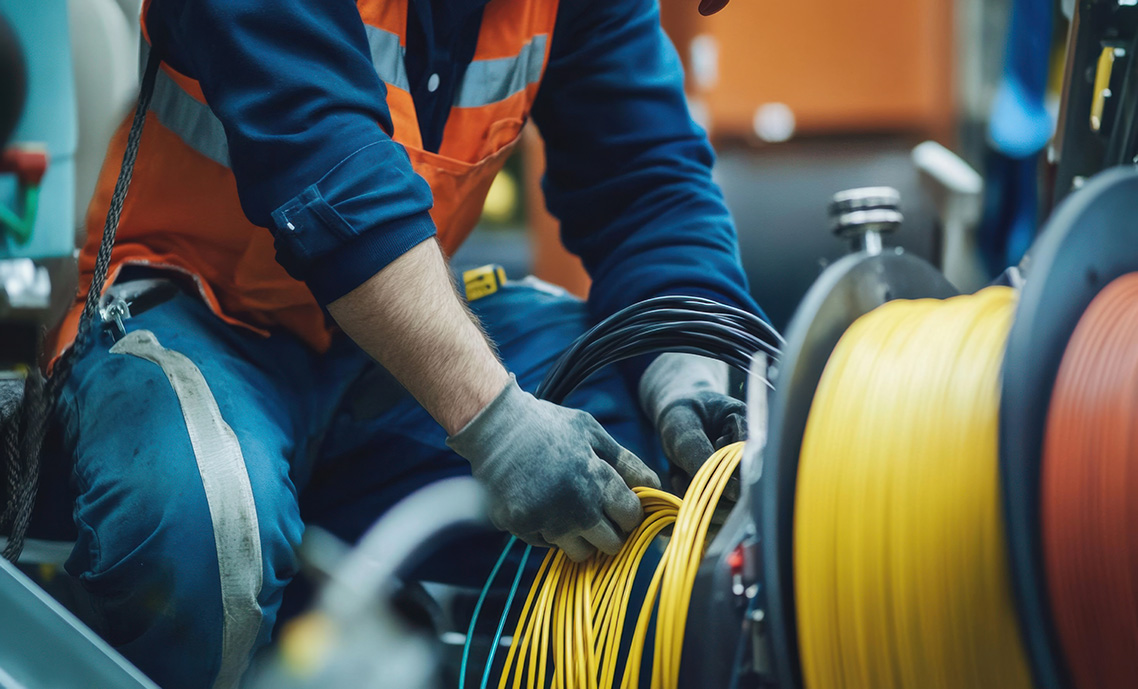
Pulling Cable Without Pulling Trouble
Cable pulling is one of the most routine tasks on a jobsite — and one of the easiest to underestimate. The risks rarely come from the cable itself; they come from the equipment, the setup, and the small decisions made before anyone starts pulling. A misaligned reel, a rushed inspection, or a missed communication can create tension spikes, snap‑back, or equipment movement that no one sees coming. Safety isn’t about slowing down — it’s about removing surprises. And the crews who pull the safest aren’t the ones who work cautiously — they’re the ones who understand how quickly a simple pull can turn into a complex problem.
With that in mind, here are the hazards every crew should account for before the pull begins.
1. Packaging Hazards
Understanding how cable packaging behaves during a pull to prevent snags, tension spikes, and uncontrolled movement.
Pull Box Hazards
Why It Matters:
Pull boxes are lightweight and easily affected by pull angle, floor conditions, and speed. A snag at the payout hole can create a sudden tension spike that leads to snap‑back or jerking. Boxes can slide, tip, or tear open, creating trip hazards and unpredictable cable behavior. These failures often happen quickly, especially when installers assume the box will stay put.
Best Practice:
Align the payout hole with the pull direction and keep the box on a stable, flat surface. Pull cable at a controlled pace to prevent burn‑through or bird‑nesting. Stop immediately if the box deforms or snags. For long or high‑tension pulls, consider transferring the cable to a reel or using friction‑reducing aids.
Reel Hazards
Why It Matters:
Reels are heavy and can tip, roll, or over‑spin during a pull. A moving reel can injure feet, damage cable, or create uncontrolled slack. Over‑spinning can dump loops that tangle, whip, or snag on nearby objects. Binding inside the reel can also release suddenly, causing a sharp jerk in the cable.
Best Practice:
Stabilize the reel by chocking the flanges or placing it in a controlled position. Pull cable straight off the reel to avoid side loading. Maintain steady pull speed to prevent over‑spin. Stop the pull if the reel binds or jumps. Never stand directly in front of or behind a rotating reel.
2. Reel Cart / Reel Stand Hazards
Managing the stability, alignment, and movement risks created when reels are elevated and free‑rotating during a pull.
Why It Matters:
Reel carts and stands introduce hazards that do not exist with packaging on the floor. When elevated, reels can over‑spin more easily, shift unexpectedly, or roll if wheels are not locked. Misalignment between the reel and the pull path increases friction and can cause binding or sudden release. A moving cart or jumping reel can create crush hazards, cable damage, or loss of control. These issues often occur when installers assume the cart is stable simply because the reel is mounted.
Best Practice:
Lock wheels or chock the cart before starting the pull. Align the reel directly with the pathway to avoid side loading and unnecessary tension. Keep the pull speed controlled to prevent over‑spin. Verify that the axle is properly seated and the reel is centered. Maintain clear communication during the pull and keep workers out of the rotation path. Stop immediately if the cart shifts, the reel jumps, or alignment changes.
3. Pre‑Pull Hazard Assessment
Identifying pathway, equipment, and communication risks before tension is applied to prevent avoidable failures during the pull.
Why It Matters:
Most cable‑pulling incidents originate from hazards that were visible long before the pull began. Sharp conduit edges, tight bends, unstable packaging, misaligned reels, and unclear communication all increase the likelihood of snap‑back, cable damage, or worker injury. A rushed or incomplete assessment forces installers to react under tension instead of correcting issues while the system is safe and static.
Best Practice:
Walk the entire pull path and inspect for obstructions, sharp edges, damaged conduit, and alignment issues. Confirm that all packaging, reels, and carts are stable and positioned correctly. Review the pull plan with the team and establish clear stop commands. Verify that tools, lubricants, radios, and communication methods are ready before starting. Correct any hazard before tension is applied.
4. Snap‑Back, Recoil & Stored Energy
Managing the sudden release of tension that can cause cable to whip, recoil, or strike workers during a pull.
Why It Matters:
Snap‑back is one of the most dangerous hazards in cable pulling. When a cable binds, catches, or breaks free, the stored energy can release instantly and unpredictably. This can cause the cable to whip violently, striking workers, damaging equipment, or causing loss of control. Even low‑voltage cable can generate enough recoil to injure hands, faces, or eyes. Most snap‑back incidents occur when workers stand in the direct line of tension or continue pulling through unexpected resistance.
Best Practice:
Keep all workers out of the tension line and maintain a steady, controlled pull speed. Stop immediately if resistance increases unexpectedly. Use proper lubrication and alignment to reduce friction. Communicate clearly during the pull and ensure everyone understands where the danger zones are. Never attempt to “pull through” a bind or obstruction.
5. Pinch Points at Conduit Entries
Preventing hand, finger, and insulation injuries where cable enters or exits conduit under tension.
Why It Matters:
Conduit openings create natural pinch points where fingers, gloves, or clothing can get caught. Misalignment increases friction and can cause the cable to jump or snap suddenly. Sharp edges or damaged bushings can cut insulation, leading to rework or long‑term performance issues. Most injuries occur when workers try to guide cable by hand too close to the entry point during an active pull.
Best Practice:
Keep hands clear of conduit openings during the pull. Use bushings or protective sleeves to reduce sharp edges. Align the cable path to minimize side loading. Monitor the entry point for snagging or binding and stop the pull if resistance increases. Assign a spotter to watch the conduit entry during high‑tension pulls.
6. Hand Safety, Gloves & Grip Hazards
Protecting hands from friction burns, cuts, and loss of control when handling cable under tension.
Why It Matters:
Cable can heat up quickly under tension, and friction can burn through gloves or skin. Loose‑fitting gloves can get caught in moving reels, conduit edges, or equipment. Poor grip increases the risk of sudden release, causing workers to fall backward or lose control of the cable. Many hand injuries occur when installers underestimate how fast cable can accelerate during a pull.
Best Practice:
Use snug‑fitting, high‑friction gloves designed for pulling tasks. Keep hands away from pinch points and rotating equipment. Maintain a stable stance and grip the cable only where necessary. If the cable becomes too hot or begins to slip, stop the pull and reassess. Replace worn or damaged gloves immediately.
7. Mechanical Puller Hazards
Controlling the power, speed, and tension generated by mechanical pulling equipment to prevent injuries and cable damage.
Why It Matters:
Mechanical pullers can generate far more force than manual pulling, increasing the risk of snap‑back, equipment failure, or conduit damage. Incorrect setup, poor anchoring, or miscommunication can lead to sudden tension spikes or uncontrolled movement. Workers near the puller or cable path are at risk if the system is not monitored closely. Most incidents occur when operators exceed recommended tension or attempt to pull through obstructions.
Best Practice:
Anchor the puller securely and verify alignment with the conduit path. Use a tension monitor when available and stay within manufacturer limits. Maintain clear communication between the operator and spotters. Stop immediately if the puller strains, slows, or encounters unexpected resistance. Keep all workers clear of the cable path and rotating components.
8. Communication During Active Pulls
Ensuring clear, consistent communication between all workers to coordinate movement and respond quickly to hazards.
Why It Matters:
Cable pulls often involve multiple workers spread across different rooms, floors, or elevations. Without clear communication, workers may continue pulling through a bind, obstruction, or unsafe condition. Delayed responses increase the risk of snap‑back, equipment damage, or injury. Many incidents occur because workers assume others can see or hear what they cannot.
Best Practice:
Establish clear commands such as “Stop,” “Slow,” and “Pull.” Use radios or hand signals when workers are out of sight. Assign a lead communicator responsible for coordinating the pull. Stop the pull immediately if any worker calls for it. Confirm readiness before restarting after any pause.
9. Elevated Pulling (Ladders, Mezzanines, Lifts)
Managing fall risks, balance challenges, and cable control issues when pulling from elevated positions.
Why It Matters:
Pulling cable from ladders, lifts, or mezzanines increases the risk of falls, loss of balance, and uncontrolled cable movement. Workers may overreach or shift their weight unexpectedly when tension changes. Dropped tools or materials can injure workers below. Many incidents occur when installers try to guide cable while maintaining balance on unstable or narrow platforms.
Best Practice:
Use proper fall‑protection equipment and maintain three points of contact on ladders. Position lifts and platforms securely and avoid overreaching. Assign ground spotters to manage cable slack and prevent tangles. Keep the area below clear of workers. Stop the pull if balance or footing becomes compromised.
10. Pathway Obstructions & Trip Hazards
Keeping the pull path clear to prevent slips, trips, and sudden tension changes caused by obstacles.
Why It Matters:
Obstructions such as tools, debris, packaging, or uneven flooring can cause workers to trip or lose control of the cable. Cable dragging across rough surfaces increases friction and tension, leading to binding or snap‑back. Many incidents occur when workers step backward while pulling and cannot see hazards behind them.
Best Practice:
Clear the entire pull path before starting. Assign a spotter to monitor the floor and remove obstacles during the pull. Keep cable elevated or guided where possible to reduce friction. Maintain good lighting and ensure workers have stable footing. Stop the pull if the path becomes obstructed.
11. Lubrication Safety
Applying lubrication correctly to reduce friction without creating slip hazards or damaging cable.
Why It Matters:
Lubrication reduces friction and tension, but improper application can create slip hazards, contaminate equipment, or damage cable jackets. Excess lubricant can drip onto floors, making them slick. Using the wrong lubricant can degrade insulation or react with conduit materials. Many issues occur when installers apply too much lubricant or fail to control where it spreads.
Best Practice:
Use only manufacturer‑approved lubricants and apply them evenly to the cable. Keep lubricant containers sealed when not in use. Place absorbent pads or drop cloths under application areas to prevent drips. Clean spills immediately. Avoid over‑lubricating, which can cause cable to slip unpredictably during handling.
12. Over‑Tension & Conductor Failure
Preventing excessive pulling force that can stretch, deform, or break cable conductors during installation.
Why It Matters:
Exceeding recommended tension limits can permanently damage cable, stretch conductors, or cause insulation failure. High tension increases the risk of snap‑back and equipment strain. Many failures occur when installers attempt to pull through obstructions, tight bends, or misaligned conduit without stopping to reassess. Damaged conductors may not fail immediately but can cause long‑term performance issues.
Best Practice:
Use tension‑monitoring equipment when available and stay within manufacturer limits. Stop the pull if tension increases unexpectedly. Reduce friction by improving alignment or adding lubrication. Break long pulls into segments when possible. Never attempt to force cable through a bind or obstruction.
13. Fiber‑Specific Safety
Protecting delicate fiber strands from microbending, over‑tension, and contamination during installation.
Why It Matters:
Fiber‑optic cable is far more sensitive to bending, crushing, and tension than copper. Microbends and stress points can degrade signal performance even when the cable appears undamaged. Dust, dirt, and moisture can contaminate fiber ends and cause long‑term issues. Many fiber failures occur during installation, not operation, due to improper handling or exceeding bend radius limits.
Best Practice:
Follow manufacturer bend‑radius and tension limits strictly. Handle fiber gently and avoid sharp bends or kinks. Keep connectors capped until termination. Use proper pulling grips designed for fiber. Stop the pull immediately if resistance increases. Store and transport fiber reels carefully to prevent crushing or deformation.
14. Copper‑Specific Safety
Preventing conductor stretch, jacket damage, and electrical performance issues during copper cable installation.
Why It Matters:
Copper cable can tolerate more tension than fiber but is still vulnerable to stretching, kinking, and insulation damage. Excessive pulling force can deform conductors and affect electrical performance. Sharp bends or rough conduit can scrape or cut the jacket. Many copper failures occur when installers exceed tension limits or pull too quickly through tight pathways.
Best Practice:
Stay within manufacturer tension limits and avoid sharp bends. Use proper lubrication and maintain alignment to reduce friction. Inspect cable jackets for damage after the pull. Avoid pulling too quickly, which can cause kinks or insulation deformation. Support cable properly during horizontal and vertical runs.
15. Post‑Pull Safety Checks
Verifying cable integrity, pathway conditions, and equipment status immediately after the pull is complete.
Why It Matters:
Post‑pull inspections catch damage that may not be visible during the pull. Kinks, abrasions, insulation cuts, or stretched conductors can compromise long‑term performance. Equipment left in unsafe positions can create trip hazards or fall risks. Many issues are only discovered after the cable is terminated, leading to costly rework if not identified early.
Best Practice:
Inspect the entire cable run for jacket damage, kinks, or deformation. Verify that reels, carts, and pullers are secured or removed from the pathway. Check conduit entries and pull points for signs of abrasion. Document any issues and correct them before termination. Reset the work area to a safe condition before moving on.
These principles help crews pull cable safely, reduce tension‑related hazards, and keep every installation running smoothly from setup to final inspection.
This guide is intended for informational and reference purposes only. It does not supersede local codes, manufacturer specifications, or the judgment of the Authority Having Jurisdiction (AHJ). Installation practices must always be verified against current NEC, ANSI/TIA standards, and site-specific requirements. Winnie Industries products must be installed and used in accordance with official instruction sheets or designated training. Products should never be applied beyond their intended purpose or in a manner that exceeds specified load ratings. Proper fastening is critical to system integrity and functionality, requiring secure attachment to structurally sound components capable of supporting imposed loads. All installations must comply with governing codes, regulations, and job site requirements. Always consult your AHJ for specific regulatory guidance.